Showing posts with label 4K. Show all posts

Saturday, August 29, 2020

Dahua IPC-HFW2831T-ZAS-S2 vs IPC-HFW4631H-ZSA

Mention in here:

8MP PoE Security IP Camera - OEM IPC-HFW2831T-ZAS-S2 2.7~13.5mm Vari-Focal Lens 5X Optical Zoom, Ultra 4K Bullet Outdoor Starlight Camera with 196.85ft Night Vision,SD Card Slot,H.265,IP67  Specs sheet

6MP Outdoor POE Bullet IP Camera IPC-HFW4631H-ZSA, 2.7-13.5mm Motorized Varifocal Lens, 5X Optical Zoom Security Camera with Built-in Mic, IR 197ft Night Vision, Smart H.265 WDR, SD Card Slot, IP67

Overview

First note, oddly they seem to use diff and conflicting plugins so you can only view the stream from one or the other in IE at the same time.

Second I had a 256 GB SD card from my old LG V30 phone that I had previously used in the SereneLife IPCAMOD47 failure which I tried to use in the IPC-HFW2831T-ZAS-S2  after formatting it but it appeared as 2 drives and failed to format. I did not have a second to 256 GB to try so it might have chosen that time to go bad. Sticking the 256 GB SD back in a Windows 10 PC it says only 47 MB like the second drive listed in the camera now. Sticking a 128 GB into it seems to work OK. I was able to recover the 256 GB SD with SD formatter.

Third you will notice (if you click on the images) the form factors between the 4Ks (3840x2160, Aspect ratio = 1.78) and the 6MP (3072x2048, Aspect ratio = 1.5) are quite diff. Most of the 4K's added pixels are in adding width not height which might factor into you choice.

The tests

One of my Reolink 511s is starting to have moisture issues so I thought it would be a good time to upgrade the IPC-HFW4631H-ZSA with a IPC-HFW2831T-ZAS-S2 and use the IPC-HFW4631H-ZSA to replace the 511. Before that though I wanted to do a quick compare so stick the IPC-HFW2831T-ZAS-S2 next to IPC-HFW4631H-ZSA and captured some video and snapshots from them and the Amcrest IP8M-2496 in the same location to get both zoomed and wide compares. 

Videos

Daytime

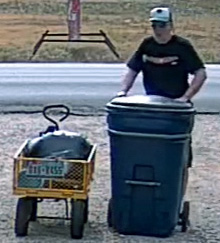
These videos the Dahuas start off on max zoom. You can see me stepping off and dropping eye charts at about 50, 100 feet and at the gate about 188 feet from the camera array.  There is an old license plate on the cart I'm pulling for reference too. At about 1:24 PM I start back from the gate. About 1:40 PM both Dahua cameras are zoomed to max view angle to compare with the Amcrest. 

IPC-HFW4631H-ZSA video

IPC-HFW2831T-ZAS-S2 video

IP8M-2496 video

Nighttime with IR

The 6MP looks slightly better to me. Start with just IR lights on (note mainly from IR flood). Shortly after the start the white driveway lights come on the go off just before the end of the video. The driveway lights have almost no affect on the video detail. Passing cars give indications of motion blur affects from the slow shutter speed.

IPC-HFW2831T-ZAS-S2 video

IPC-HFW4631H-ZSA video

Nighttime low light color

The 8MP does way better here. Both cams are set to manual 1/12 exposure, color mode and 0-100 gain range. Otherwise all default settings. Start with just IR lights on, mainly from IR flood, but they seem to have no real affect unlike the HikVision ColorVus that tend to get a purple tint when IR floods are on. About 9:38 PM the white driveway lights come on making a dramatic change in both videos. 

For instance the old school house across the street lit by its own security light is about all you can make out on the 6MP though if you look real close can see where the sky is slightly lighter the trees and shadow on the ground. After the driveway lights come on the detail is better but 50 foot detail is still not as good as in IR night vision. Though past 50 feet it was better in color mode.

By contrast the 8MP actually appears to be in color though again the details are few. You can kind of make out the eye chart silhouette and moon shadows. After the driveway lights come on the detail is almost that of day time. 

Passing cars give indications of motion blur affects from the slow shutter speed. Shortly before the end of the video the driveway lights go back off again showing how quickly the cameras adapt.

IPC-HFW2831T-ZAS-S2 video

IPC-HFW4631H-ZSA video

In pics

The UPS box is at about 160 feet.


You can watch the videos to see how fast the zooms and focusing work but are some quick snaps to see how the cams compare in max zoom. The calculated DORI numbers are


Click on an image to see close to full screen and rapidly switch between.

The 6MP camera view

The 8MP/4K camera view
Just to drive home the diff distance makes, here are views from the cameras mounted about 20 feet from the UPS box. 
View from another Dahua 6MP in widest view mode.

View from an old Foscam FI9804WS 720p cam.

I used the 6MP Dahua and will use the new 8MP cam in max zoom but while I have them all together I though I'd get some wide angle view compares as well. Not e how much the auto focus improves the detail. The 50 foot chart is clearer even to the 6MP camera than the fixed Amcrest 4K. The Dahua 4K is even better. Granted it is also almost twice the cost of the Amcrest.
The Dahua 6MP in widest view

The Amcrest 8MP/4K wide angle view


The Dahua 8MP/4K in widest view

Nighttime with IR

6MP just IR

6MP in IR mode with driveway lights on.

8MP just IR

8MP in IR mode with driveway lights on.


Nighttime low light color

6MP color mode.

6MP in color mode with driveway lights on.

8 color mode

8MP in color mode with driveway lights on.


Sunday, August 11, 2019

Doing the math on pixels per inch at a distance for your cam

If you think zoom and enhance is a real thing I have some bad news for you. You can guestimate a pixel that might come between two but that is not really adding detail. It is just making it bigger. Even with some sort of fancy AI like in No Way Out it is just going to convert the image to something like you expect to see. Like seeing faces in the clouds. Just think about it and it should be obvious, pixels can not magically resolve into something the camera did not see. The best you can do is monkey with contrast and brightness and maybe a bit motion fix if you are luck. So you need a minimum of in focus pixels snapped at a high enough shutter to reduce motion blur with enough light and or sensitivity to have the contrast to work with.

Yet I'm still seeing a lot of posts where people are talking up static focus 1080p cams with wide angle for outdoors. Let's do the math on that. There is a simple calculator online to get the width of the area being viewed by a cam with a given view angle. For example let's take my old work horse the Foscam 9800 series that is 720p and 70 deg view angle.

So at 20 feet the view width is 24.4 feet or 293 inches. 720p resolution is actually 1,280 pixels so when we divide the pixels by the view width you get  4.3686 pixels per inch. So a face, about 6 inches wide will be 26 pixels across at 20 feet with this cam. 40 is considered to be the min. So even with the best lens focused for 20 feet this is still not going to cut it.

For convenience I worked up the charts below from my compare sheet. Note these charts assume the camera is focused for the target distance and not the upscaled resolution some cams advertise. Despite claims, outdoor fixed focus cams seem to be focused at around 20 to 30 feet. You might get a "decent 2X screen grab" of targets within +- 10 feet of that. Of course for a large range of  depth you really should look at a camera with auto focus like the Reolink RLC-411WS I've tried. Though it has had the occasional glitch as well. For long distance something adjustable like the Microseven 6-22mm 3MP Manual Zoom Varifocal Len HD 1080P. Or to get an idea of what you might be able to see with a certain model in your location try IPVM calculator which lest you stick a cam on a map of your property to see what the view angle looks like and has simulated day and night shots at the distance you give.


Not those are best case numbers under perfect conditions. While 7 pixels per inch is bare min 14 is the more accepted min. If I change the wanted pixels per inch to 14 the last chart becomes

Note 12 degrees is a fairly extreme telephoto lens in the range of 22mm
70 is standard though up to 90
between 90 and 130 is often called wide angle
180 to 360 are often called 360 view cameras

For a more indepth info look here.

For a visual compare here I am about 33 feet from the cameras.
First an old Foscam FI9804PS 720p and 70 degree view angle

Now compare that with a Reolink RLC-511-5MP with auto focus but zoommed to widest view of about 90 degrees.

We can obviously see a lot more  and it looks clearer. Just for comparison here is the view from a 1080p  M7B77-WPSV1 at max zoom to a view of about 12 degrees located about 190 feet way.

The main diff appears to be the angle .

Now crop the images down to just me and the cart and make them the same size for a recognition compare. Note the sizing is done by the browser. You might interpret a bit more with a smart resize.

The Foscam image cropped
The Reolink image cropped

Lastly the Microseven image cropped.
So a 1080p cam with a 12 degree angle and focused for distance yet almost 6 times the distance away would be better for pulling a plate at the gate than the 720p with 70 degree view. Obviously the 5MP at the gate wins though probably by not as much as you would have thought. I should note here too the Foscam was only doing about 1 fps till I ran power out there so I hook up and access point via Ethernet Over Power. I did that so I could stick a Wyzecam V2 out there but that was a bust. Given its 110 degree view you get a shot like this.

First here is the Foscam from the Wyze compare test. I'm a bit further out in this one about 60 feet from the cams. You can see the zoomed Reolink image behind it. Note images were resized to match width of widest image (the Roelink).

Here is the save shot form the Wyzecam V2

And the uncovered Reolink zoomed to its max of 31 degrees horizontal.
Note the glitch in the pic turned out to be a config Blue Iris issue. Inspect sets it to be a generic RTSP and you want to set it as a Reolink.
And lastly a similar shot with the Reolink unzoomed.

In case you are wondering here are some shot with me much closer.
Foscam shot of me at the parcel box
Wyzecam V2 shot of me at the parcel box

One last distance compare back down the drive about 85 feet from the cams. Between the Microseven still zoomed the max.

And an Amcrest 4K IP8M-2496EB with about 112 degree view angle.

For those that think you can just zoom in, here is what you see if you zoom in to match the Microseven.

But there is one more factor to consider, focus. Autofocus can add a lot though when it gets it wrong it can make your cam useless too. Here is a close up shot with the Foscam where I'm just 7 feet away. The cart maybe double that.
Note the plate looks good but the logo on my cap is blurry. I'm too close for the range this cam is set too.
Here is the same shot from the Reolink zoomed out to the max.
Notice both my face and the plate are in focus because the camera has adjusted.
The down side, something flying too close to the lens can leave you looking like this.

Thursday, October 11, 2018

Rexing V1P vs V1 3rd gen Dash cam

Rexing V1 3rd Generation 4K UHD WiFi Car Dash Cam 2.4" LCD 170° Wide Angle Dashboard Camera Recorder with WiFi, 16GB Card, G-Sensor, WDR, Loop Recording
with
Rexing GPS Logger for Rexing V1 3rd Gen, V1P 3rd Gen, V2
and
Rexing V1P 2.4" LCD FHD 1080p 170 Degree Wide Angle Dual Channel Dashboard Camera Recorder Car Dash Cam with Rear Camera, G-Sensor, WDR, Loop Recording
with
Rexing GPS Logger for V1 and V1P

Overall I'm quite pleased with the result over my previous dashcam, a VC-250 Dash Cam with GPS. Though I miss the remote on the VC-250 to trigger protecting of videos from being overwritten. Finding and pushing a button on the camera while driving is not practical. That experience taught me too an interior cam is about worthless for seeing out the back. Which is why I mounted a Rexing V1 3rd Generation 4K camera facing front and a Rexing V1P mounted on the rear window with its remote cam inside pointed forward to catch an inside and bit of side view that might be needed. The over all effect is almost a 360 exterior view plus interior. Decent audio on all streams makes syncing the stream almost automatic in a editor like Adobe Premiere Pro.

Here is a quick multicam video I made from my Rexing V1P rear mounted camera and my forward mounted Rexing V1 3rd Generation 4K. Elements from the each cam are overlaid to keep the SUV in view and the GPS speed and time readings. It is an example of the clarity of the cameras and how they can show evidence if you need it.


For example in the above thumbnail I mixed the video down to the 1080p rez of the Rexing V1P forward (my back view) stream, overlayed the interior view from the Rexing V1P's remote cam and  overlaid a zoomed in image from the Rexing V1 3rd gen to show the lights and a cropped but dull rez shot of the Rexing V1 3rd gen's data overlay at the bottom to show speed and time. Lastly I added text. With something like Adobe's Premiere Pro it is not all the hard but not so easy you would normally do without reason.  I did a post digital zoom on the 4K stream to highlight what was happening. Note the 2X, 3X and 4X flash in the lower right to indicate that it has reached that level of zoom. (The editor smooths the changes in zoom so you might not even notice them.)  The picture near the end is still pretty clear at 4X zoom. Better than a lot of 720p cams I've seen unzoomed.

Note the raw video has GPS data encoded if you have options GPS. If you use the JMS DVR GPS player to view the videos you get a screen like this.

This is one of the improvements over the VC-250 that you had to convert the videos to see them outside of their app and after converting you lost the GPS data.

Note I replaced the audio on these to avoid audio book copyright issues.
Rexing V1 3rd gen night video sample
Rexing V1P exterior night sample
Rexing V1P interior night sample
Playlist of other Rexing videos of mine